How to write an AI image prompt that works across models
A good image prompt reads like a brief to a photographer or illustrator: what is in the picture, where it is, what the light is like, how it is framed, and what to leave out. That structure also travels well between models, which matters, because the same words can produce very different images from different models.
Why the same prompt behaves differently
Each model was trained differently and has its own defaults. In our three-model test, one model drifted towards a polished, retouched portrait, another cropped tighter than asked, and a third printed part of the instructions on a poster. You cannot make a prompt model-proof, but a specific prompt narrows how far each model can drift.
A structure that works
Here is the product prompt from that test, split into its parts. All three models returned a clean, unbranded bottle on a plinth with a leafy branch.
| Part | From the product prompt |
|---|---|
| Medium | A high-end studio product photograph |
| Subject, specific and countable | of one clear rectangular glass perfume bottle with a simple brushed silver cylindrical cap, |
| Setting and props | standing on a pale grey stone plinth. A single branch with small green leaves casts a soft shadow across the background. |
| Light | Soft directional window light from the left, |
| Look and finish | pale neutral backdrop, realistic glass refraction, subtle reflections, crisp product details, restrained editorial composition. |
| What to leave out | No branding, no labels, no lettering, no watermark. |
| Frame | Square image. |
As a template you can fill in:
Template
[Medium] of [a specific subject], [setting and props]. [Light: direction and quality]. [Camera, lens or illustration style]. [Colour and mood]. [What to leave out]. [Frame].
Seven habits that make prompts more reliable
1. Count things
“One bottle” and “a single branch” leave less room for extras than “bottles” or “some leaves”.
2. Name materials, shapes and colours
“A simple brushed silver cylindrical cap” describes something a model can draw. “A nice cap” leaves it to guess.
3. Give the light a direction and a quality
“Soft overcast daylight from the left” sets the mood, shadows and highlights in one phrase. Still check the result: in our product test, one of the three models made the right side of the backdrop the brighter one.
4. Use the vocabulary of the medium
For photographs, name the shot and the lens: “head-and-shoulders portrait”, “85mm portrait lens”, “subtle depth of field”. For illustration, name the technique: flat vector, gouache, linocut, isometric 3D.
5. Describe what you want, not only what you don’t
The portrait prompt below asks for “natural skin texture with visible pores” and freckles, and also says “no beauty retouching”. Two models followed it. One still produced smooth skin and red lipstick, without the freckles.
Exact prompt
An editorial photographic head-and-shoulders portrait of a fictional adult woman in her early thirties, with shoulder-length dark curly hair, brown eyes, natural freckles and a calm thoughtful expression. She wears a plain charcoal cotton shirt and faces the camera at a slight angle beside a large window. Soft overcast daylight from the left, a simple pale grey background, natural skin texture with visible pores, realistic hair, subtle depth of field, neutral colours, 85mm portrait lens. No beauty retouching, no text, no watermark. Square image.
Try this prompt in the studio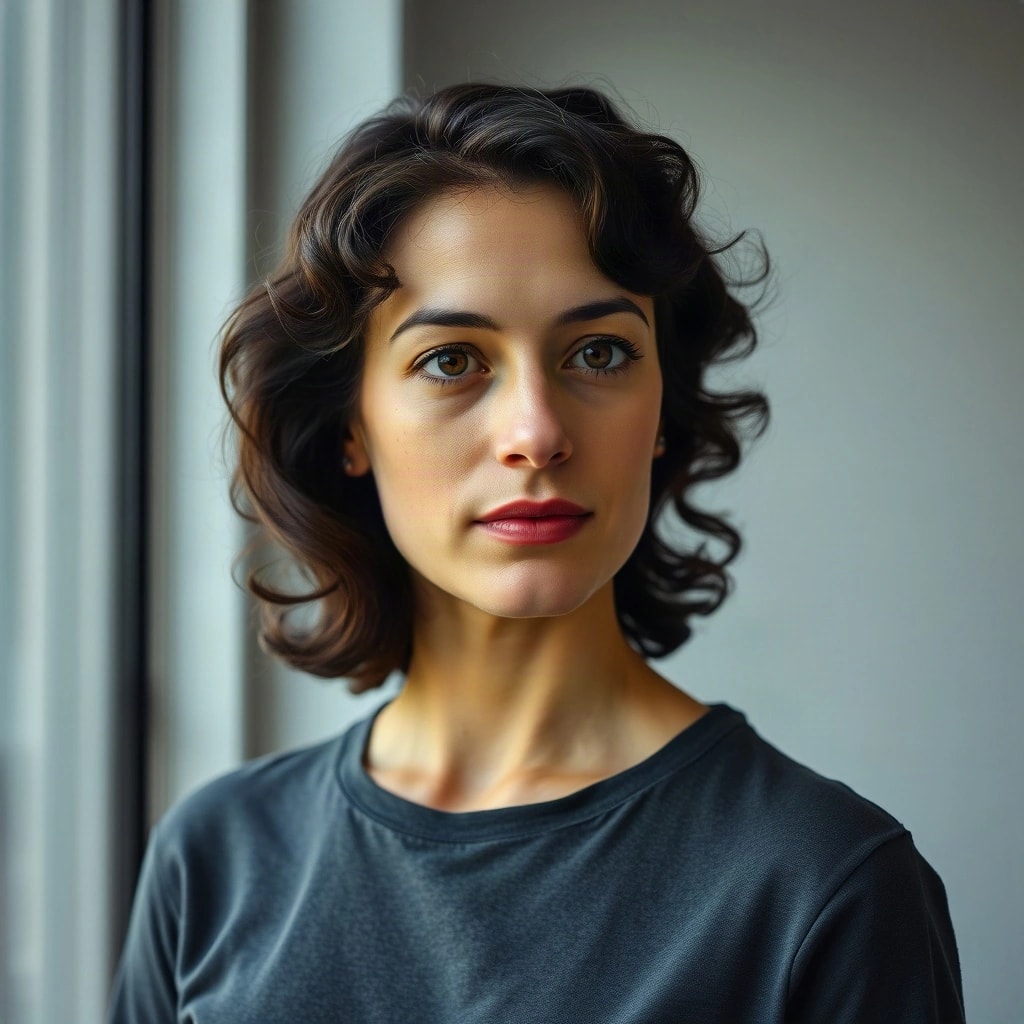
FLUX SchnellOriginal (JPEG, 1024 × 1024)
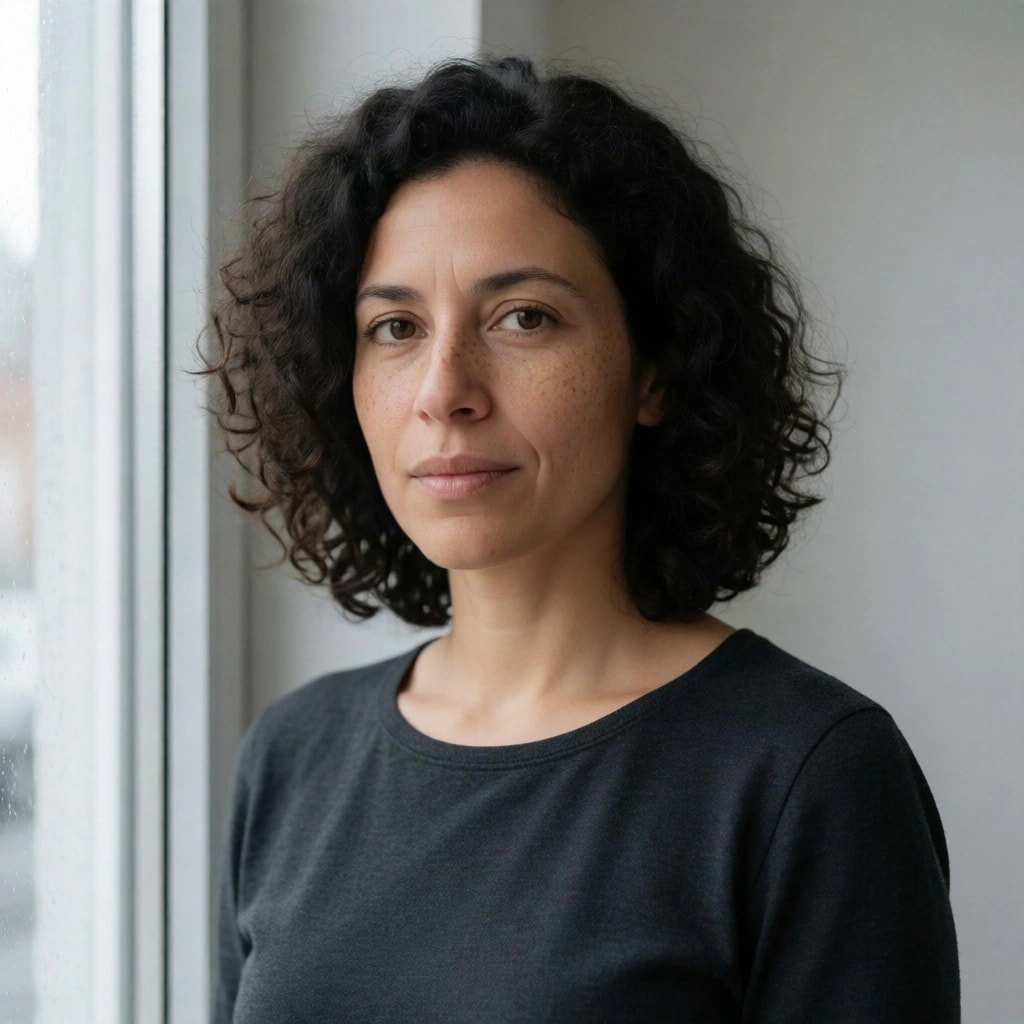
Krea 2 TurboOriginal (JPEG, 1024 × 1024)
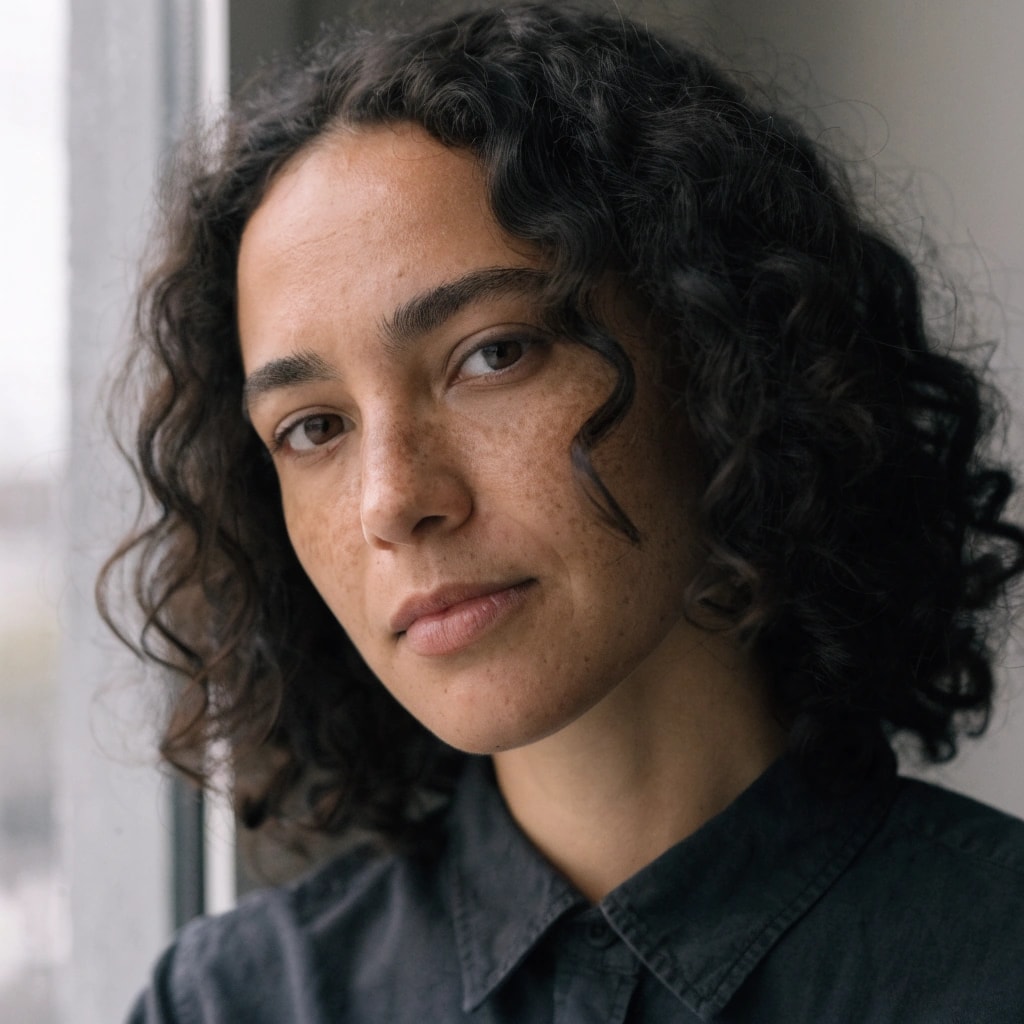
Recraft V4.1Original (WEBP, 1024 × 1024)
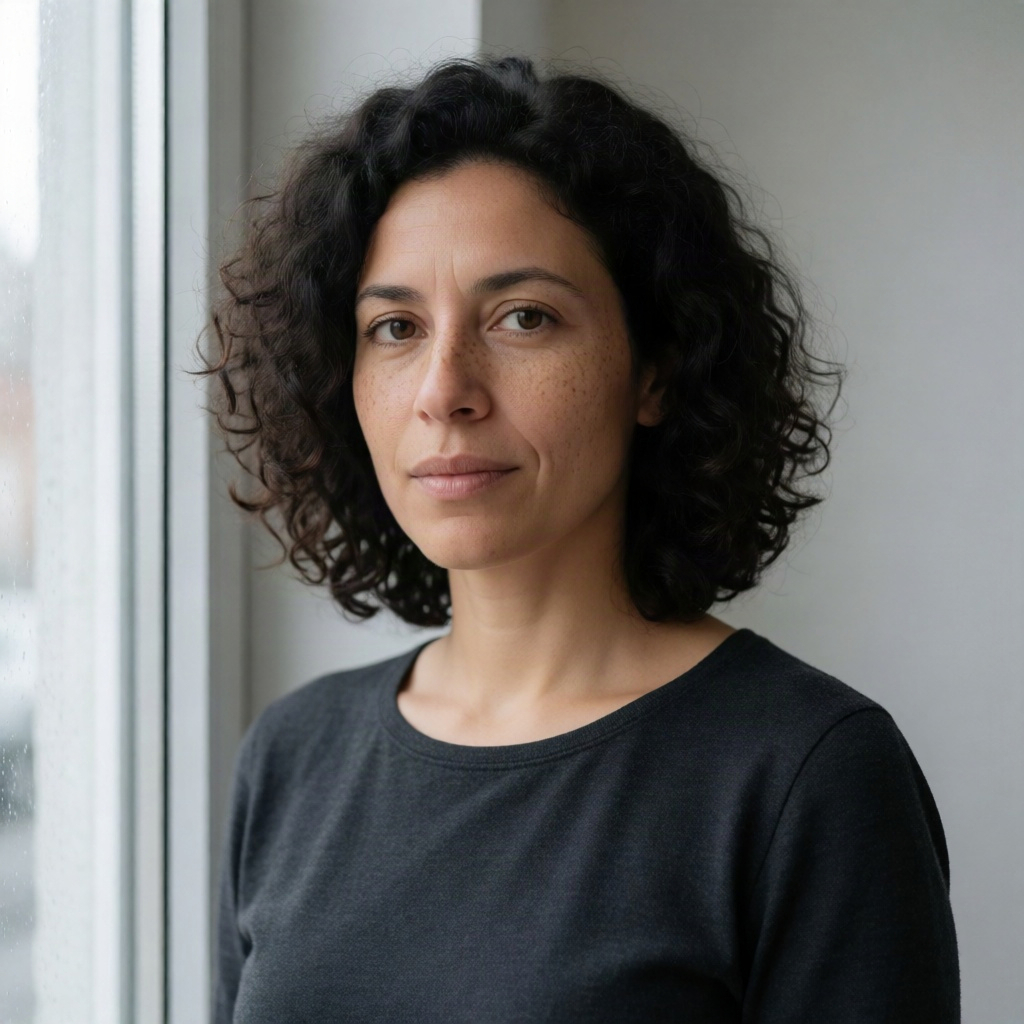
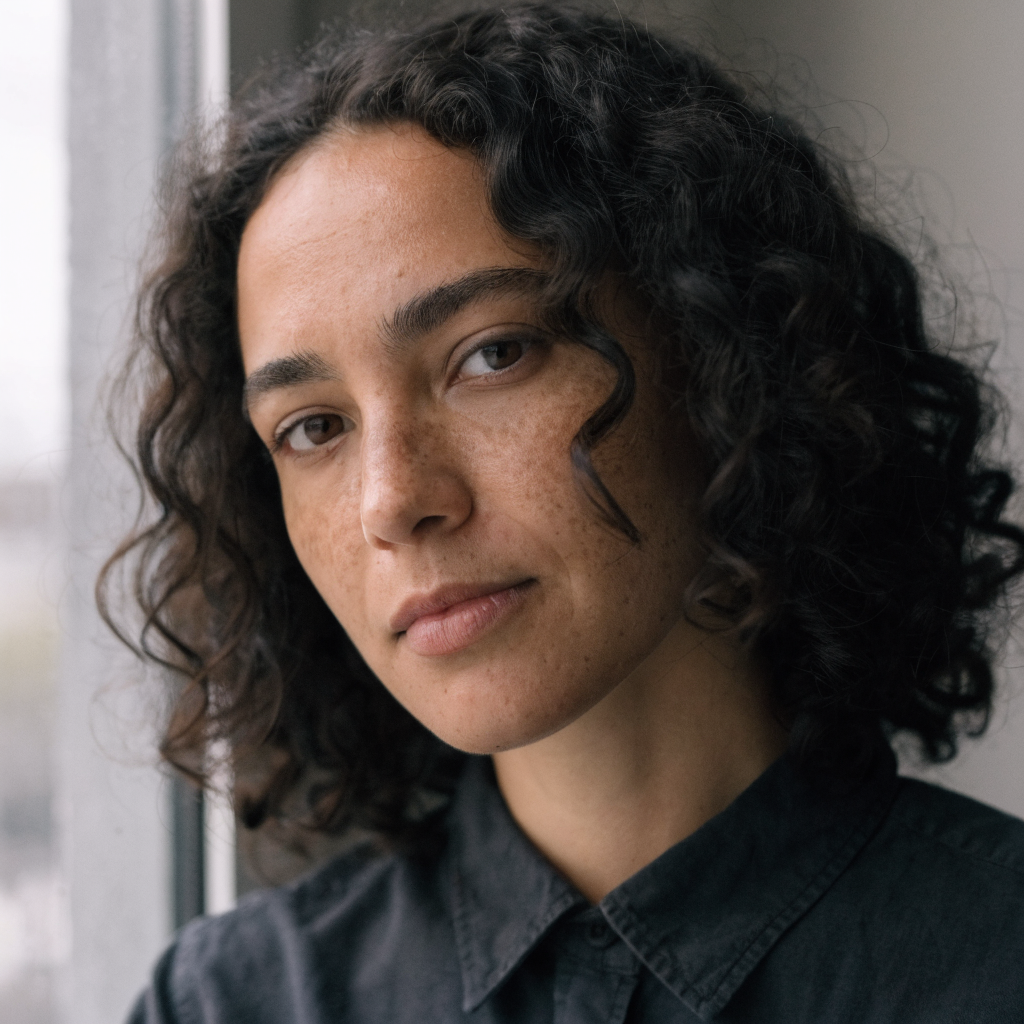
Concrete descriptions give a model something to draw. Keep a short “no …” list for things that often appear unasked, such as text, logos, watermarks and frames, and expect to check it.
6. Ask for a wider frame than you need
One model framed the portrait much tighter than “head-and-shoulders”. You can always crop a wide image later; you cannot get back space a model never drew.
7. One idea per prompt
Stacking styles (“cinematic, anime, watercolour, 3D render”) pulls the image in several directions at once. Choose one, and try the others as separate prompts.
Test across models, and change one thing at a time
- Run the prompt on two to four models at once. In Pickframe, the total credit cost appears before you generate, and you pay only for images that finish.
- Explore cheaply, then refine. Use faster, less expensive models while the wording is still changing, and bring in others once it settles.
- Change one part at a time, such as the light or the lens, so you know what made the difference.
- Keep what works. In Pickframe’s editor, Save recipe stores the prompt, the models and the layout together, ready for the next image.