FLUX Schnell vs Krea 2 Turbo vs Recraft V4.1: one prompt, three results
Model comparisons usually show each model at its best. This one shows first attempts. On 27 October 2026 we sent three detailed prompts to FLUX Schnell, Krea 2 Turbo and Recraft V4.1, generated one image per model, and kept whatever came back.
How we tested
- The same prompt went to all three models, word for word.
- Every image is a square 1024 × 1024 output. Every other setting was left at the model’s default.
- One output per model and prompt: no retries, no picking the best of several, no retouching.
- The images on this page are resized previews. Select any of them to open the untouched original.
- They were generated through the same fal.ai routes the Pickframe studio uses.
One image per model cannot rank models. It shows how each model read these prompts on one run, which is exactly the kind of difference worth seeing for your own brief before you choose.
The results at a glance
| Test | FLUX Schnell | Krea 2 Turbo | Recraft V4.1 |
|---|---|---|---|
| Product photograph | Clean catalogue look; warmer backdrop than asked | Closest crop; the most convincing glass | Most empty space; brighter on the opposite side |
| Portrait | Polished, retouched look; no freckles | Natural texture, freckles and curls | Natural texture; framed tighter than asked |
| Poster text | Subtitle misspelled; stray full stop | Printed two words of the instructions | All three lines correct |
Test 1: a studio product photograph
Product shots test materials (glass is hard to draw), light, and how literally a model follows a list of props.
Exact prompt
A high-end studio product photograph of one clear rectangular glass perfume bottle with a simple brushed silver cylindrical cap, standing on a pale grey stone plinth. A single branch with small green leaves casts a soft shadow across the background. Soft directional window light from the left, pale neutral backdrop, realistic glass refraction, subtle reflections, crisp product details, restrained editorial composition. No branding, no labels, no lettering, no watermark. Square image.
Try this prompt in the studio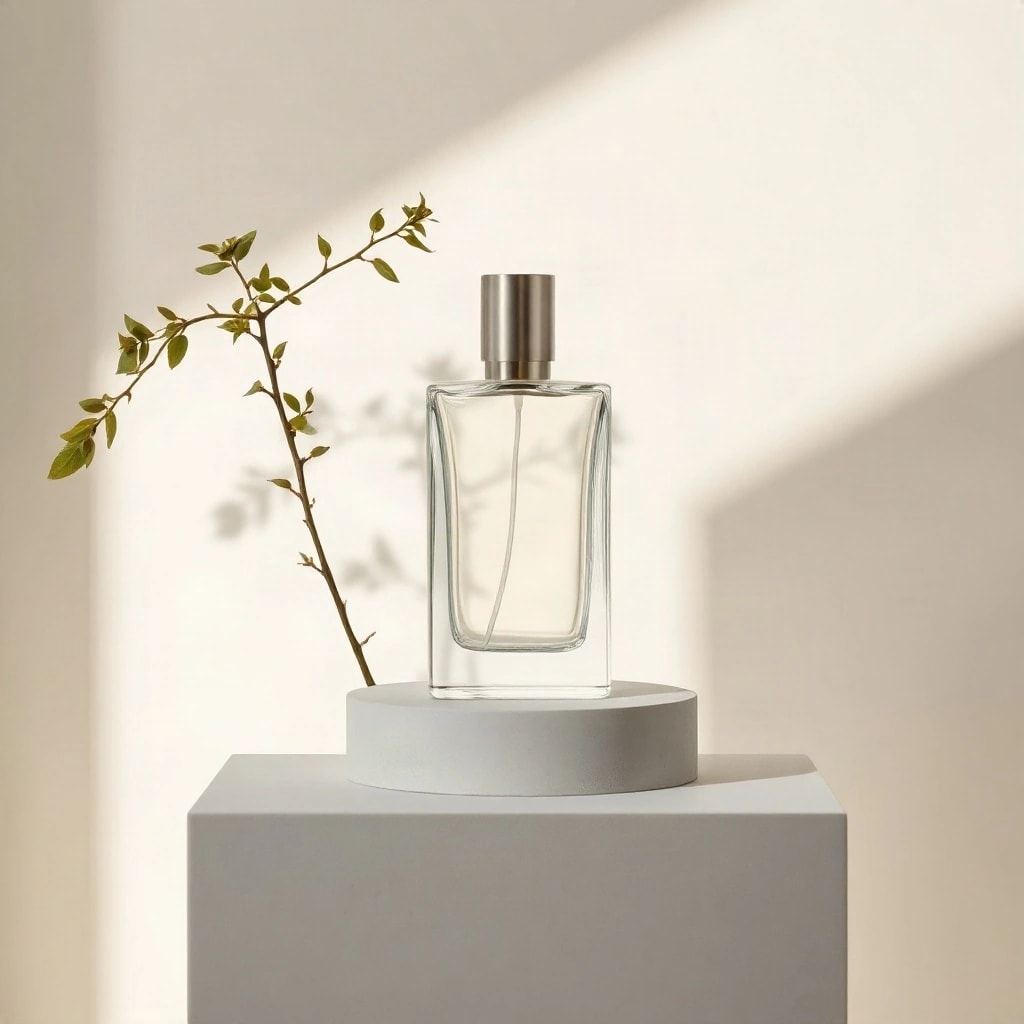
FLUX SchnellOriginal (JPEG, 1024 × 1024)
Krea 2 TurboOriginal (JPEG, 1024 × 1024)
Recraft V4.1Original (WEBP, 1024 × 1024)
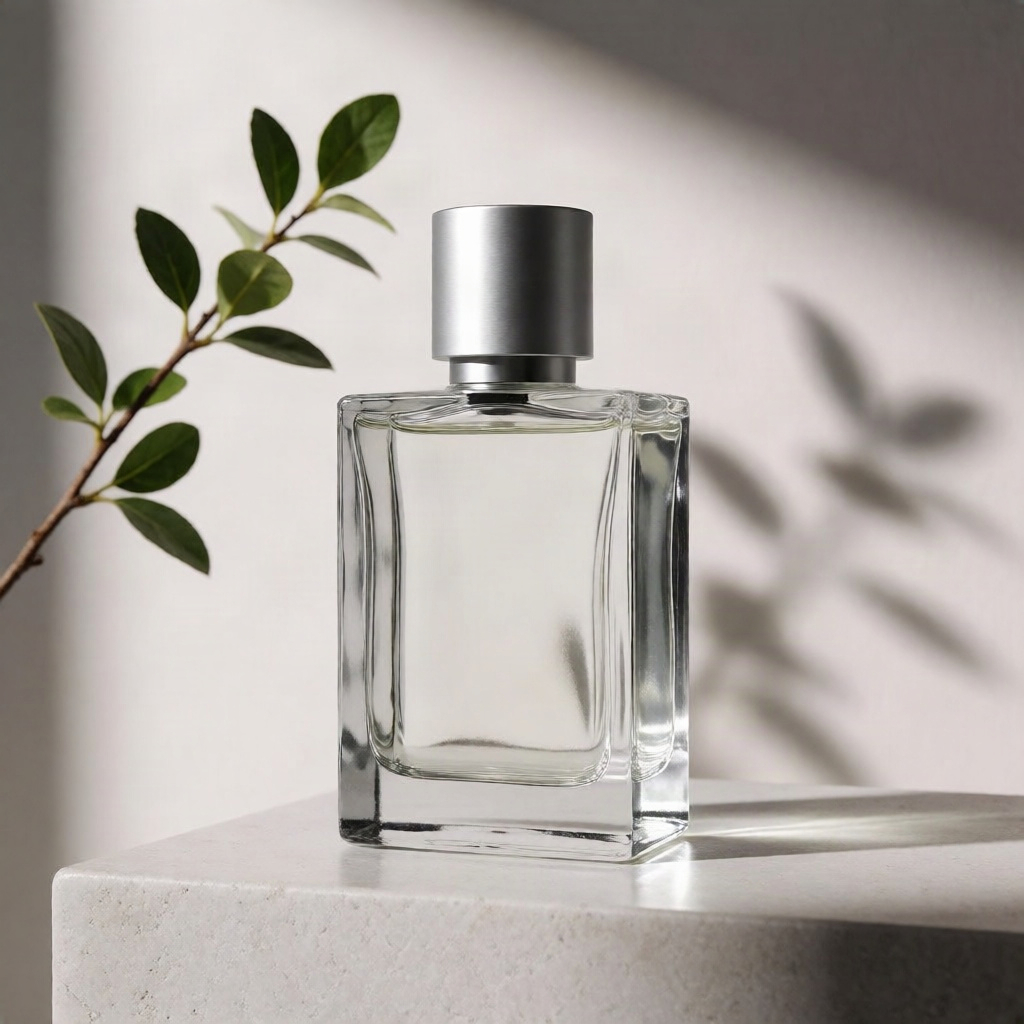
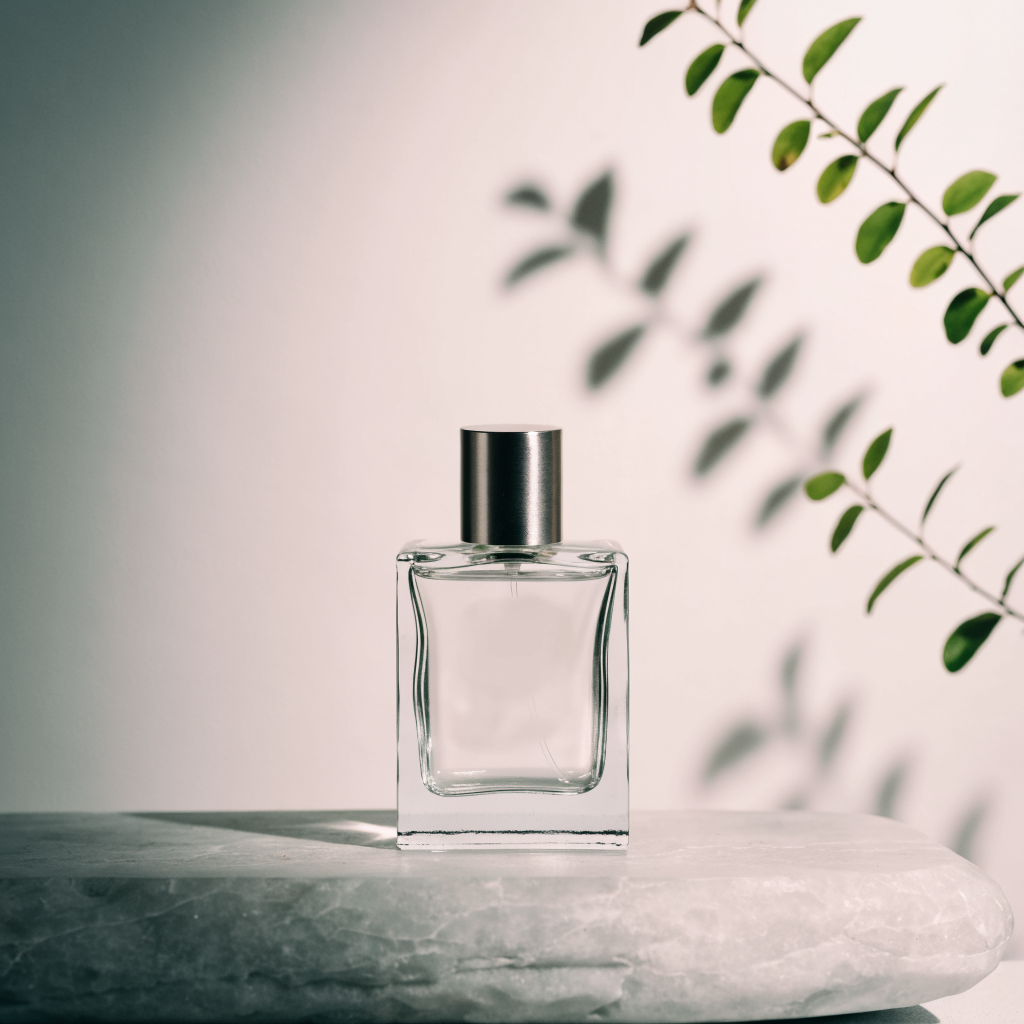
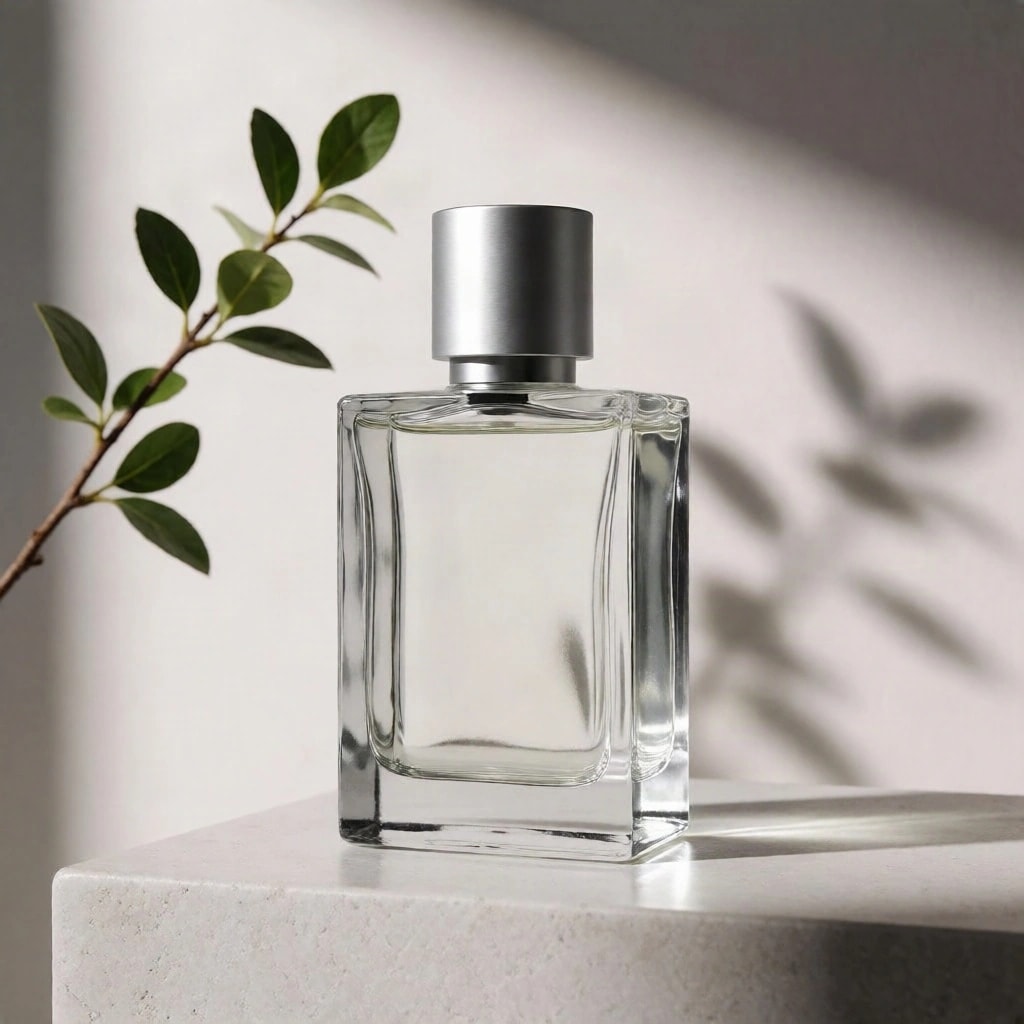
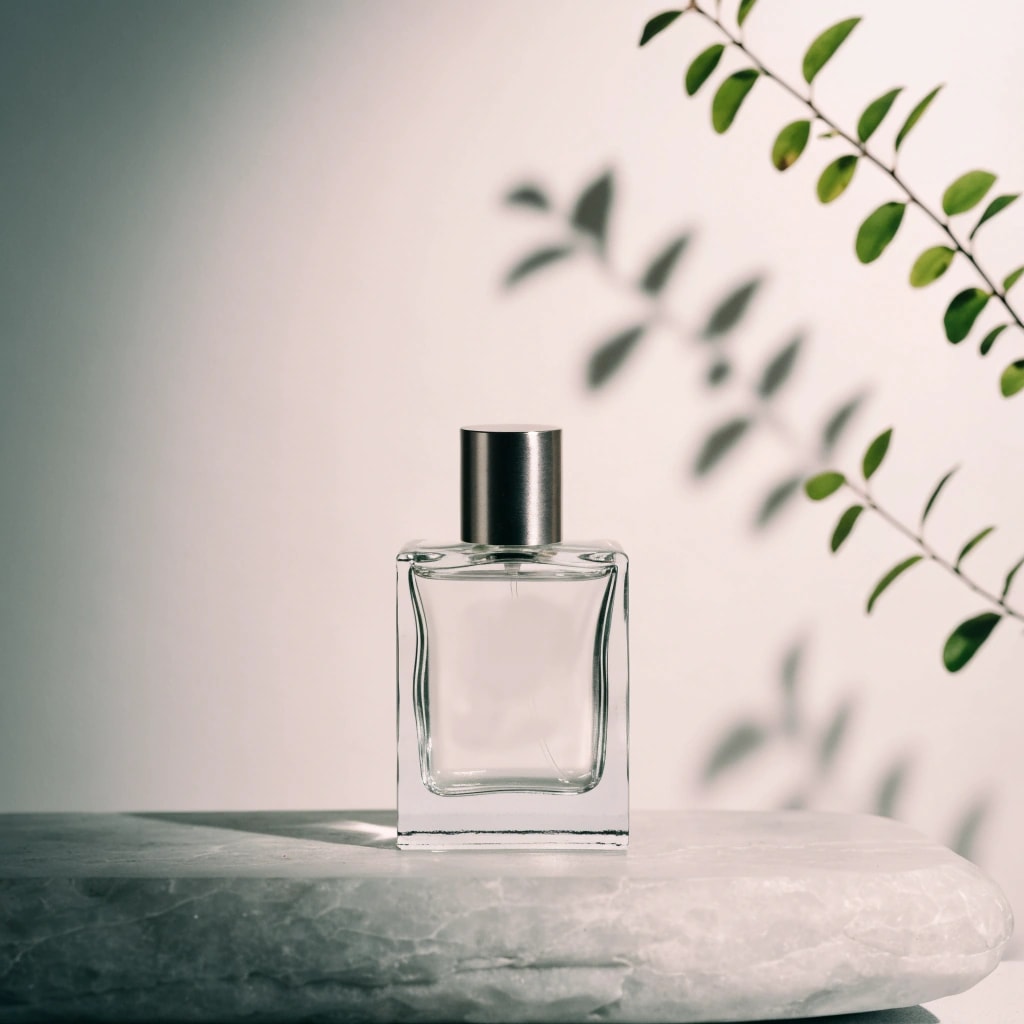
- All three left the bottle unbranded, as asked: no labels, lettering or watermarks.
- FLUX Schnell made the most catalogue-like image: a centred bottle on a round plinth on a white pedestal, with the branch standing beside it. The backdrop is warm cream rather than the pale neutral the prompt asked for.
- Krea 2 Turbo framed the bottle closest, on the corner of a pale stone block, with leaf shadows falling across the wall as the prompt described. Its glass has the most convincing thickness and refraction of the three.
- Recraft V4.1 placed a smaller bottle on a rough natural stone slab with plenty of space around it, the most editorial composition. The right side of its backdrop is the brighter one, although the prompt asked for light from the left.
Test 2: a window light portrait
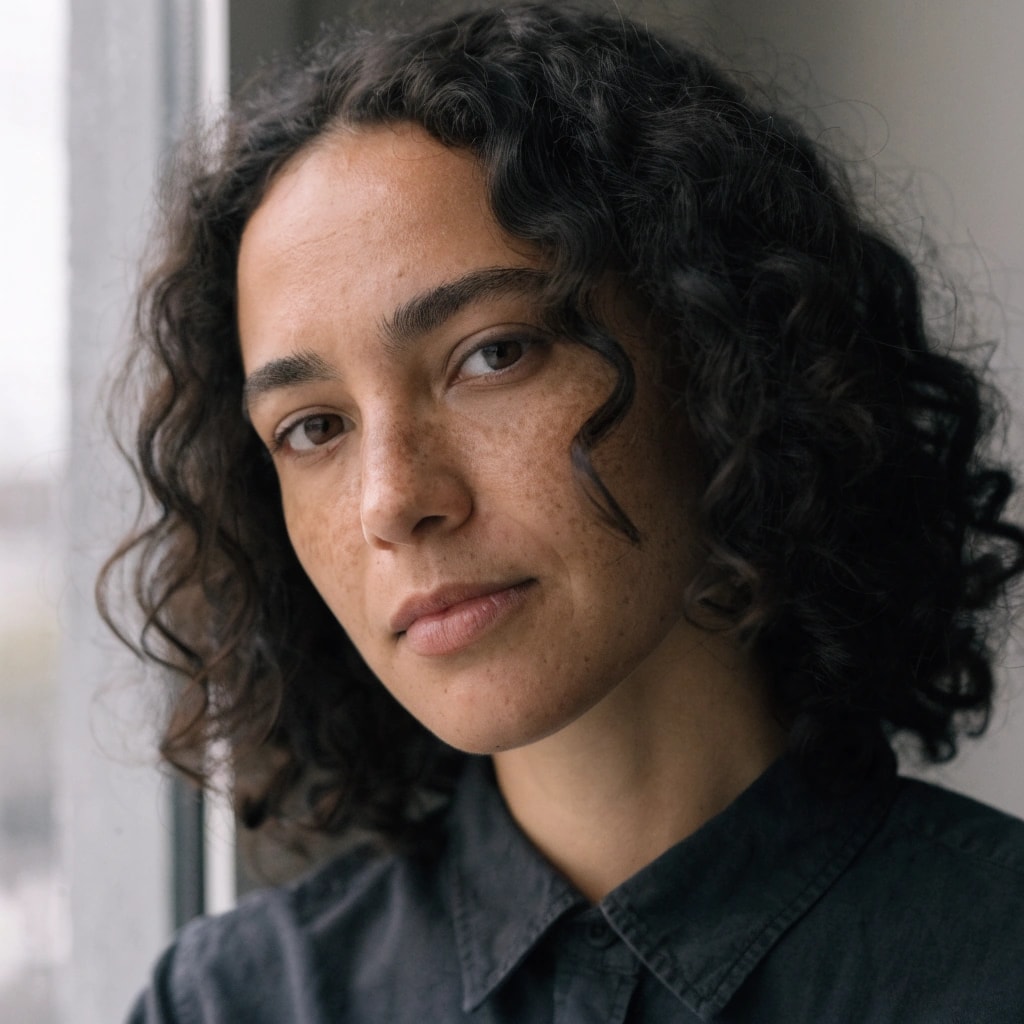
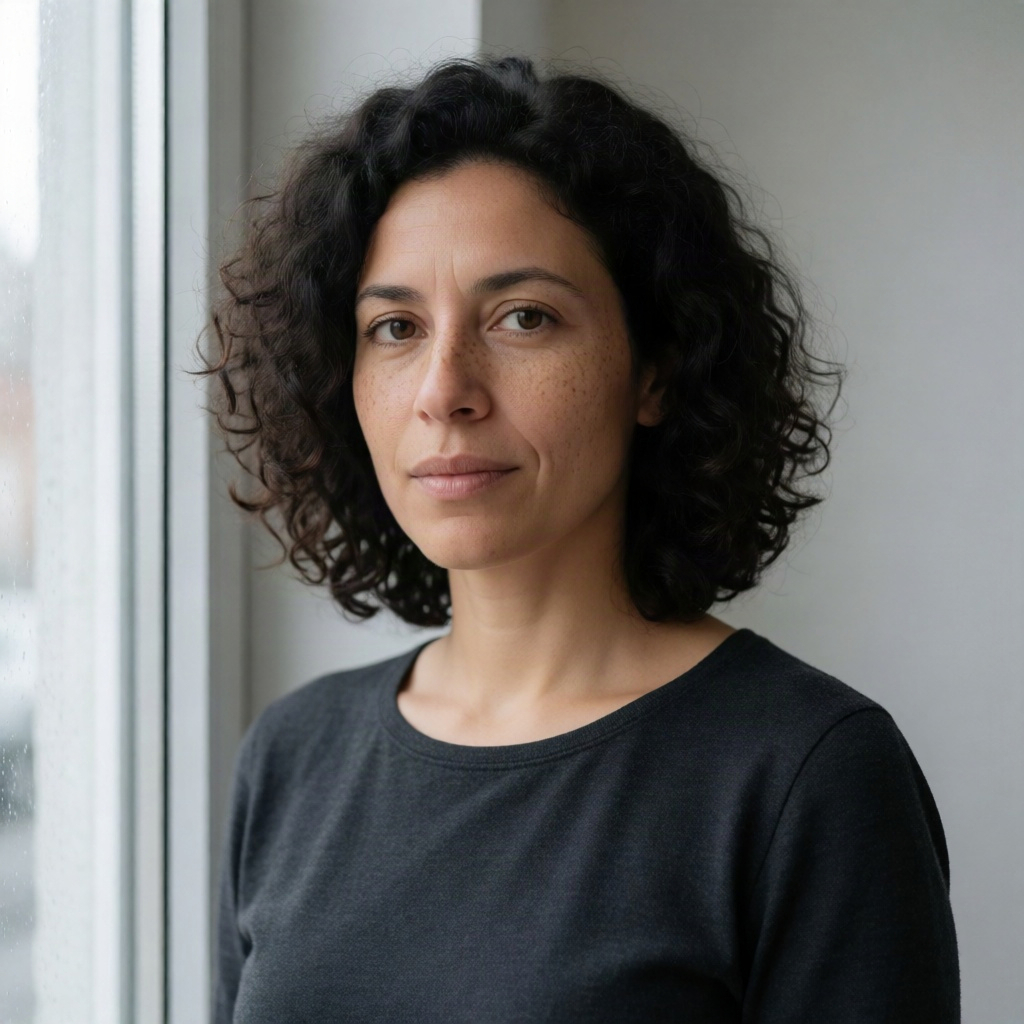
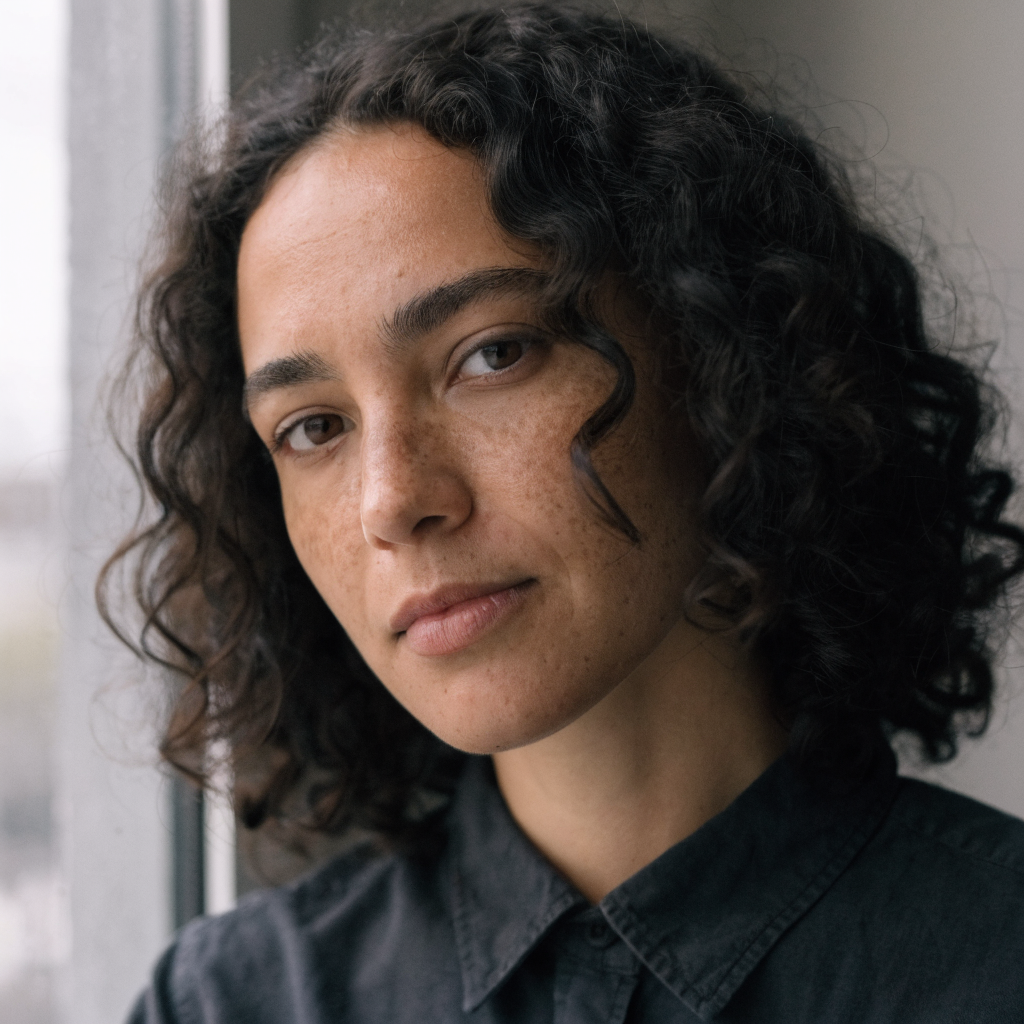
Portraits show whether a model keeps natural skin or drifts towards a polished, retouched look, and whether it keeps specific details: freckles, curly hair, a shirt.
Exact prompt
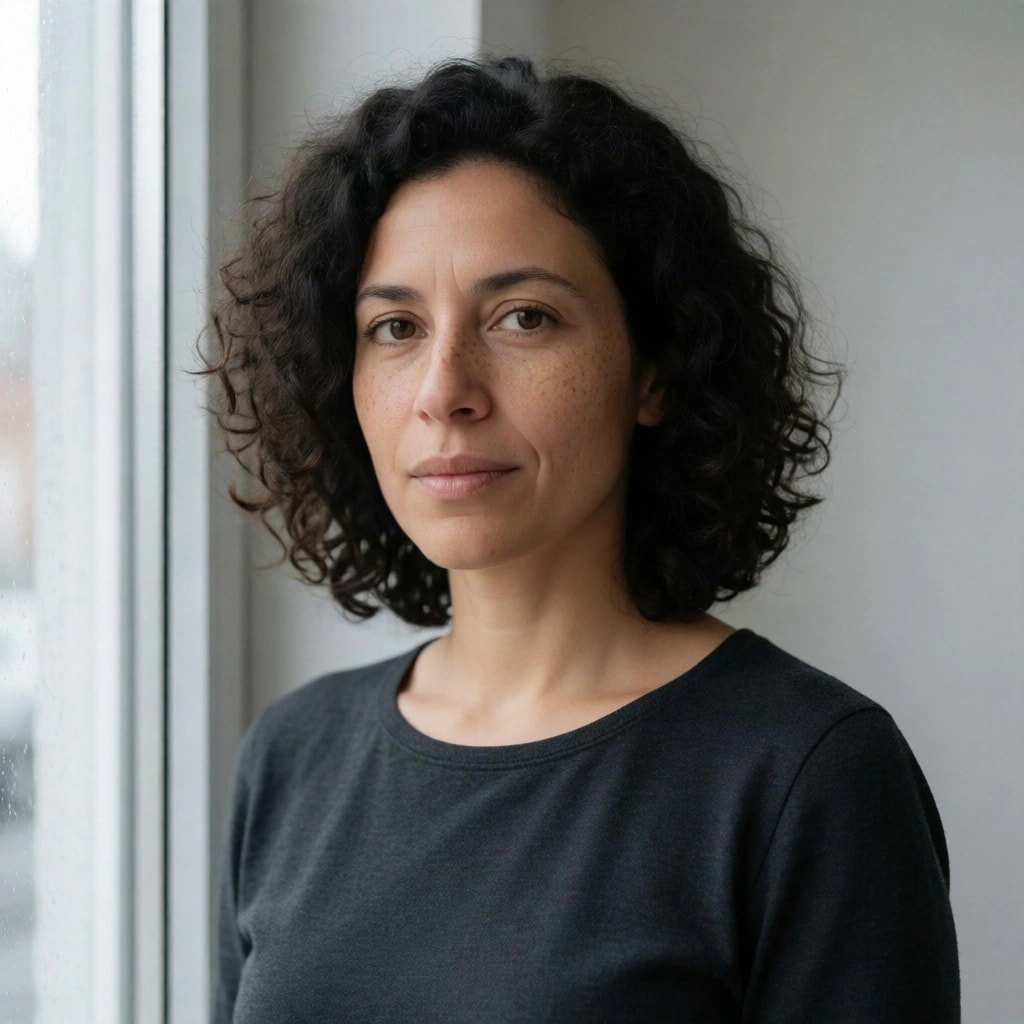
An editorial photographic head-and-shoulders portrait of a fictional adult woman in her early thirties, with shoulder-length dark curly hair, brown eyes, natural freckles and a calm thoughtful expression. She wears a plain charcoal cotton shirt and faces the camera at a slight angle beside a large window. Soft overcast daylight from the left, a simple pale grey background, natural skin texture with visible pores, realistic hair, subtle depth of field, neutral colours, 85mm portrait lens. No beauty retouching, no text, no watermark. Square image.
Try this prompt in the studio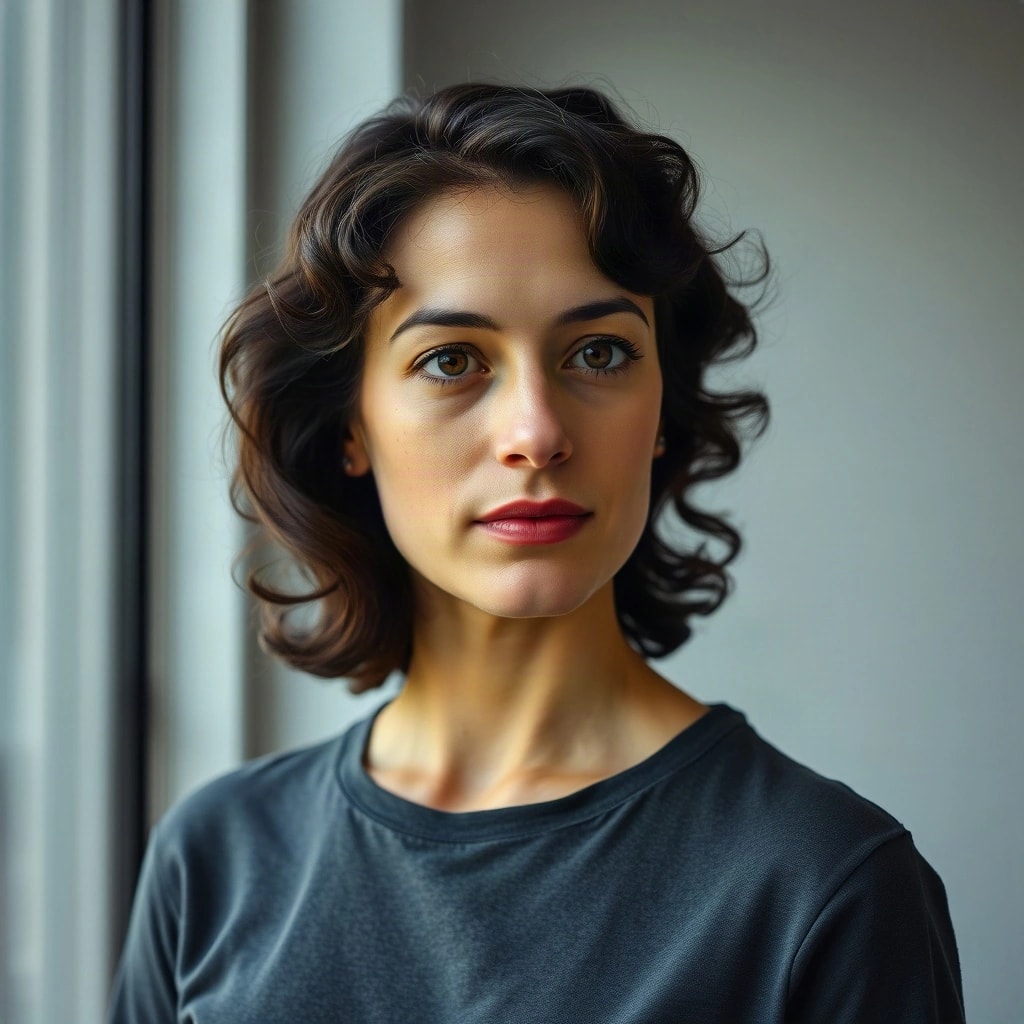
FLUX SchnellOriginal (JPEG, 1024 × 1024)
Krea 2 TurboOriginal (JPEG, 1024 × 1024)
Recraft V4.1Original (WEBP, 1024 × 1024)
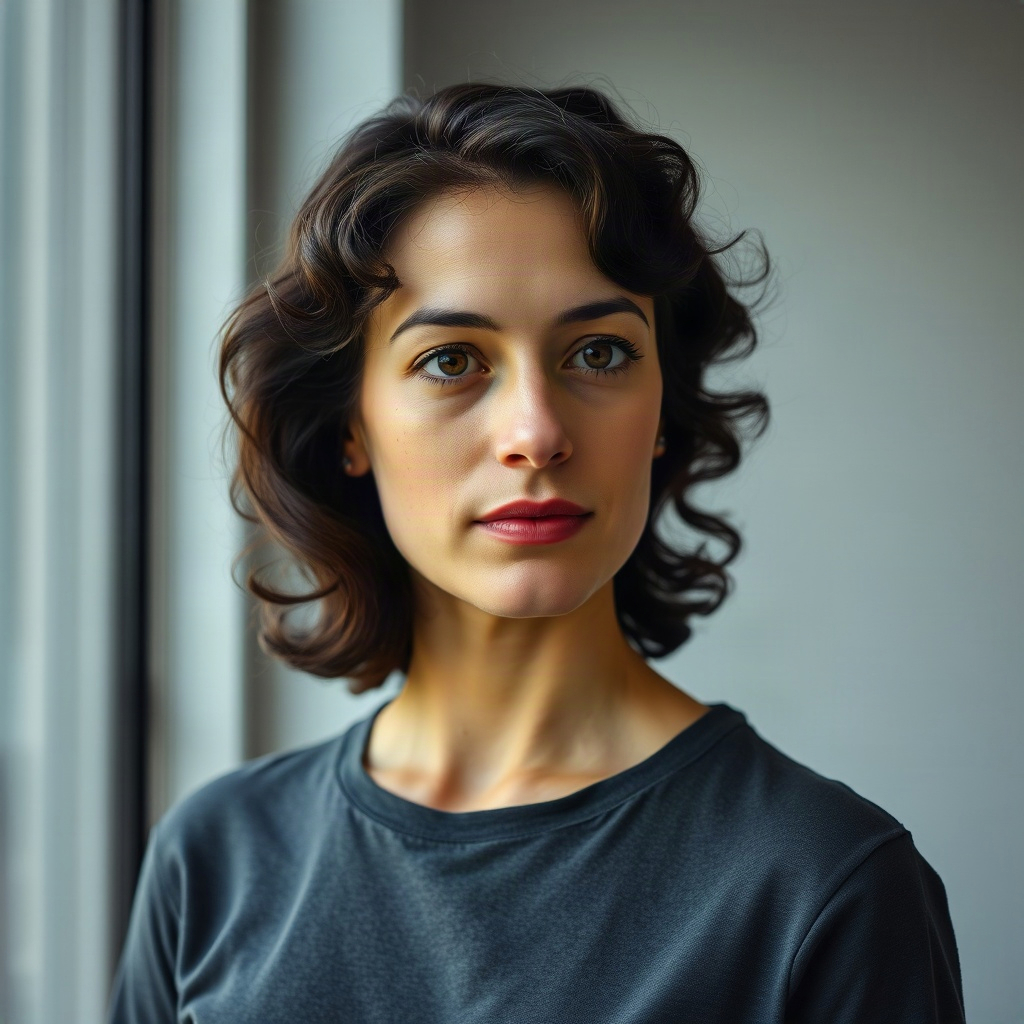
- FLUX Schnell drew a smooth, polished face with red lipstick and no visible freckles, although the prompt asked for freckles, visible pores and “no beauty retouching”. The hair is wavy rather than curly, and the shirt became a T-shirt.
- Krea 2 Turbo came closest to the brief: freckles, tight curls, visible skin texture, a calm expression and window light from the left, in a head-and-shoulders frame. The shirt became a crew-neck top.
- Recraft V4.1 has the most natural skin texture and the only collared shirt, but it framed the face much tighter than head-and-shoulders.
Test 3: a poster with exact text
Lettering is where image models differ most. This prompt asks for three exact lines of text and nothing else.
Exact prompt
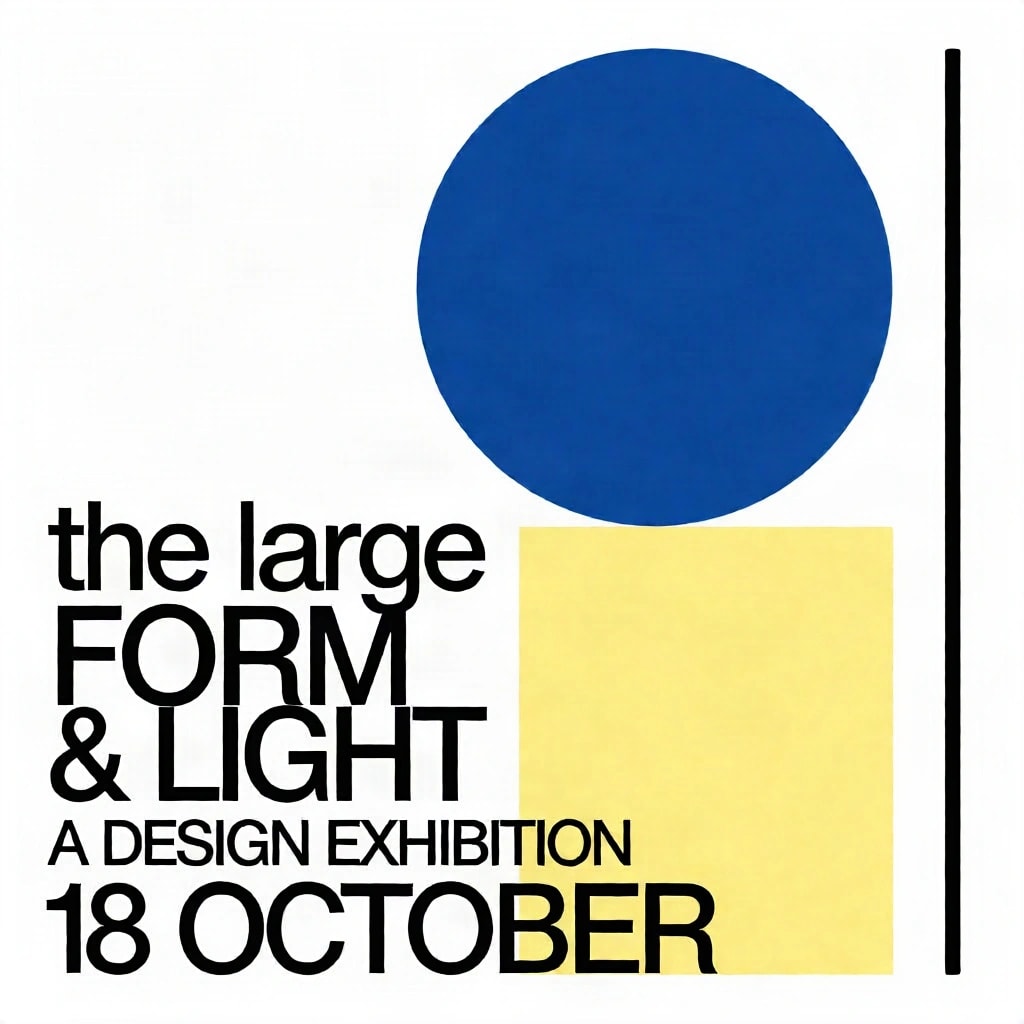
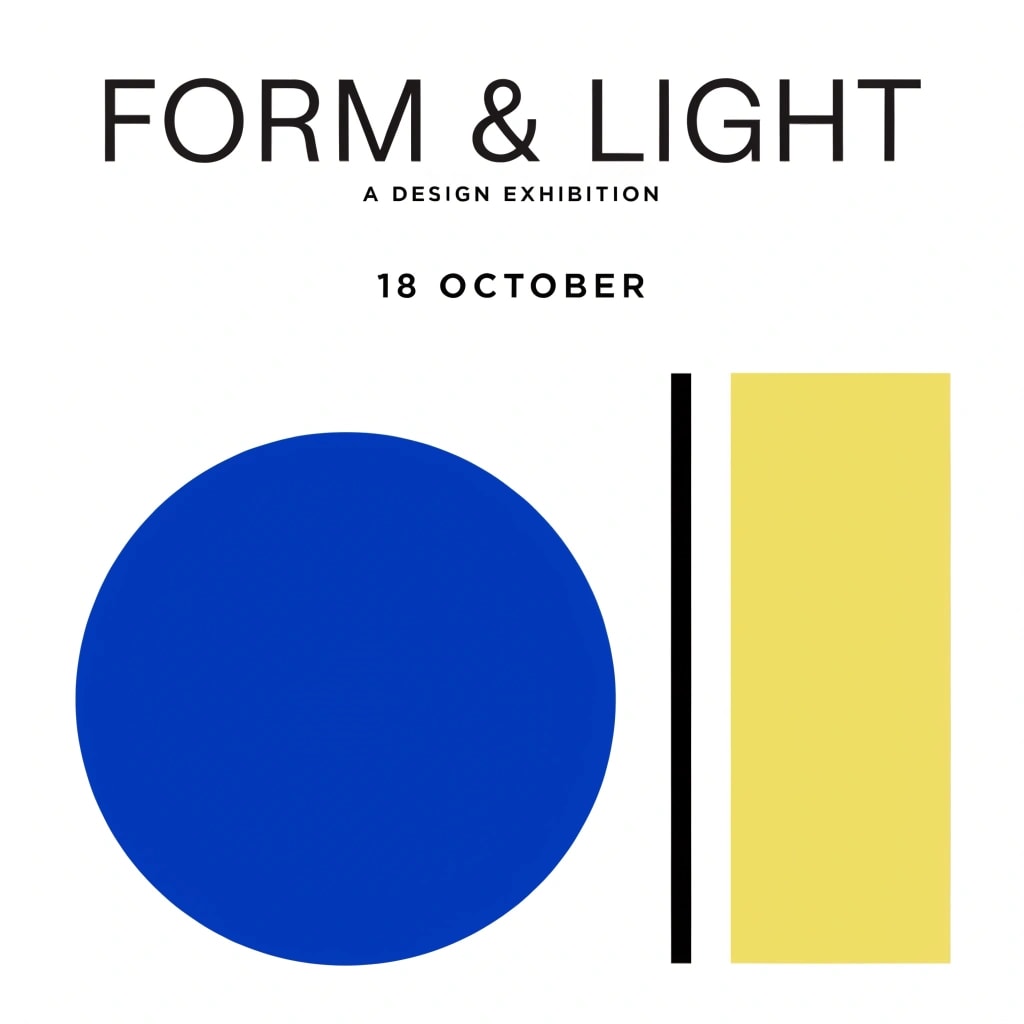
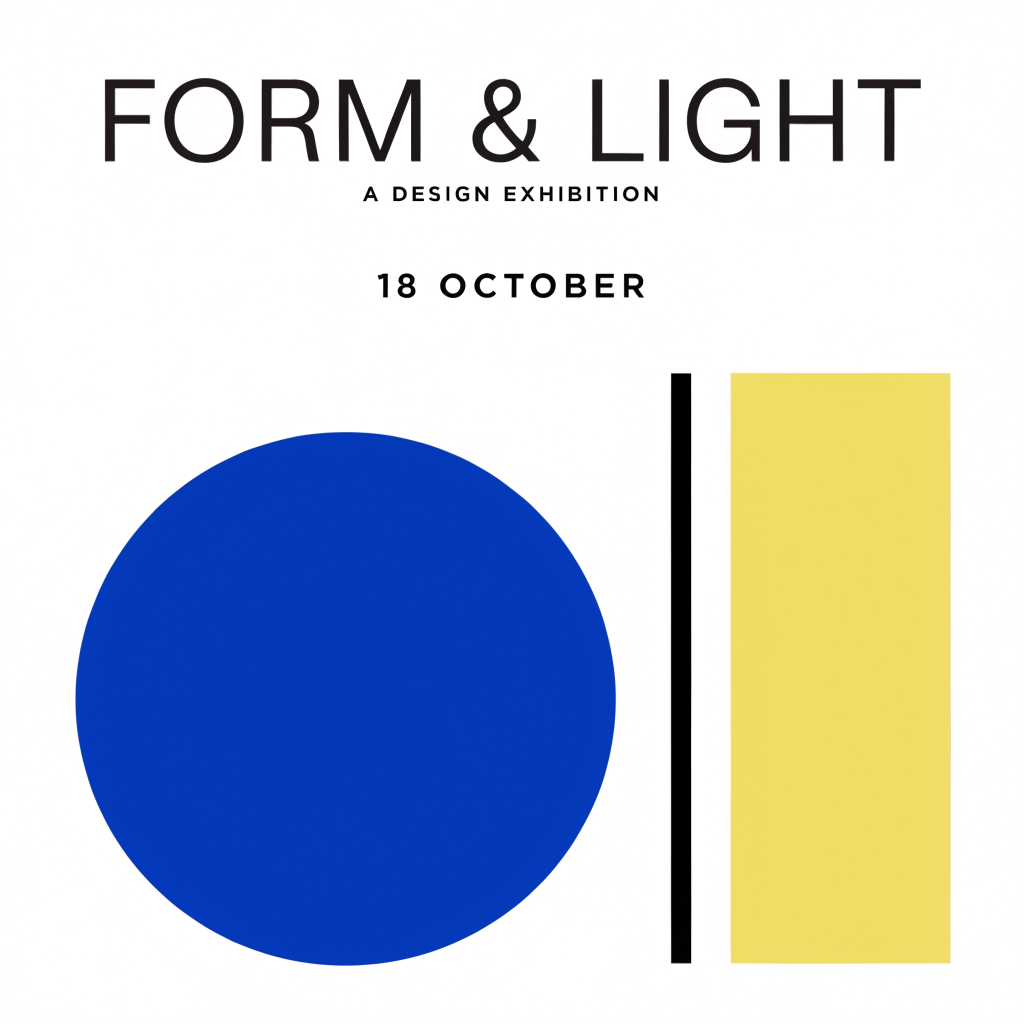
Design a finished graphic poster for a fictional design exhibition. Use a clean white background, one large cobalt blue circle, one pale yellow rectangle, and a narrow black vertical line in a balanced asymmetrical geometric composition. Include exactly this text, spelled correctly: the large title 'FORM & LIGHT', the smaller line 'A DESIGN EXHIBITION', and the date '18 OCTOBER'. Use crisp contemporary sans-serif typography, strong hierarchy, generous negative space and sharp flat colours. No other words, no logos, no mockup scene, no frame, no watermark. The poster itself fills the square image.
Try this prompt in the studio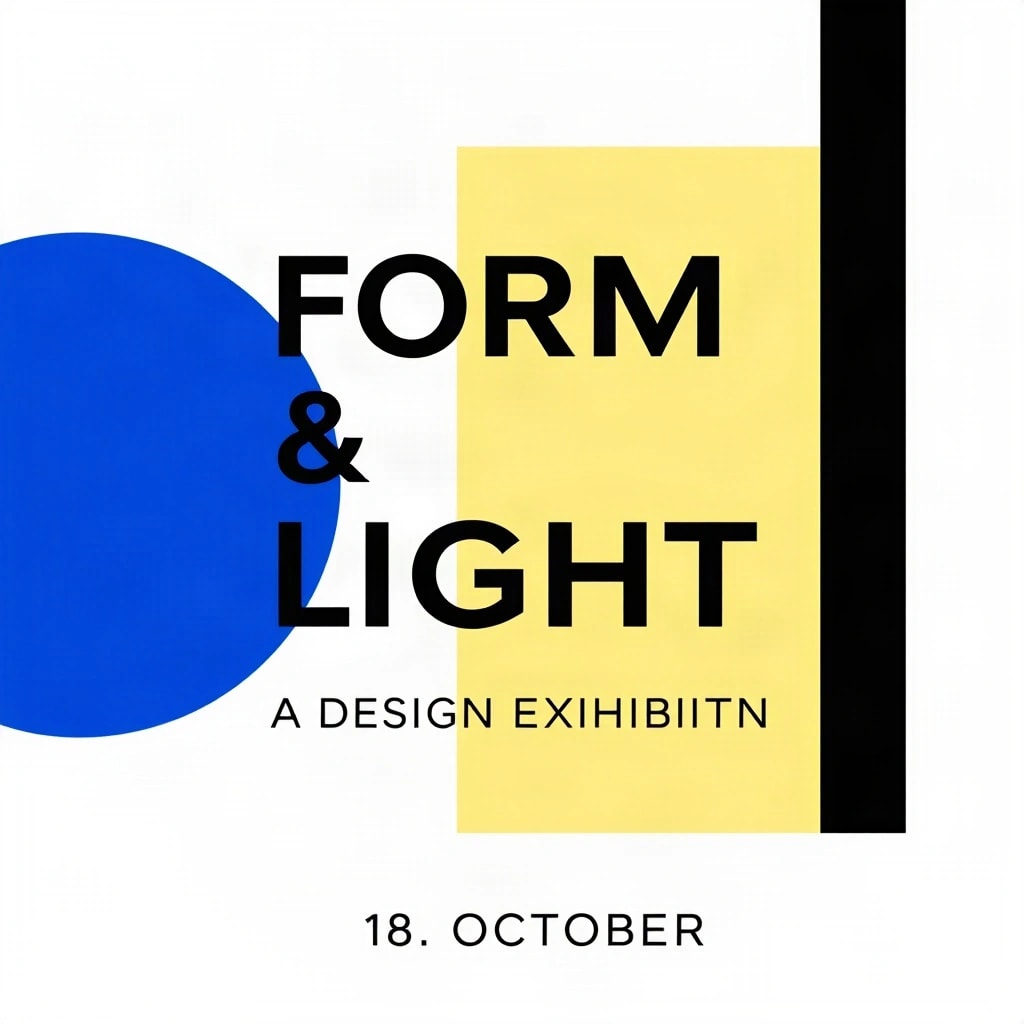
FLUX SchnellOriginal (JPEG, 1024 × 1024)
Krea 2 TurboOriginal (JPEG, 1024 × 1024)
Recraft V4.1Original (WEBP, 1024 × 1024)
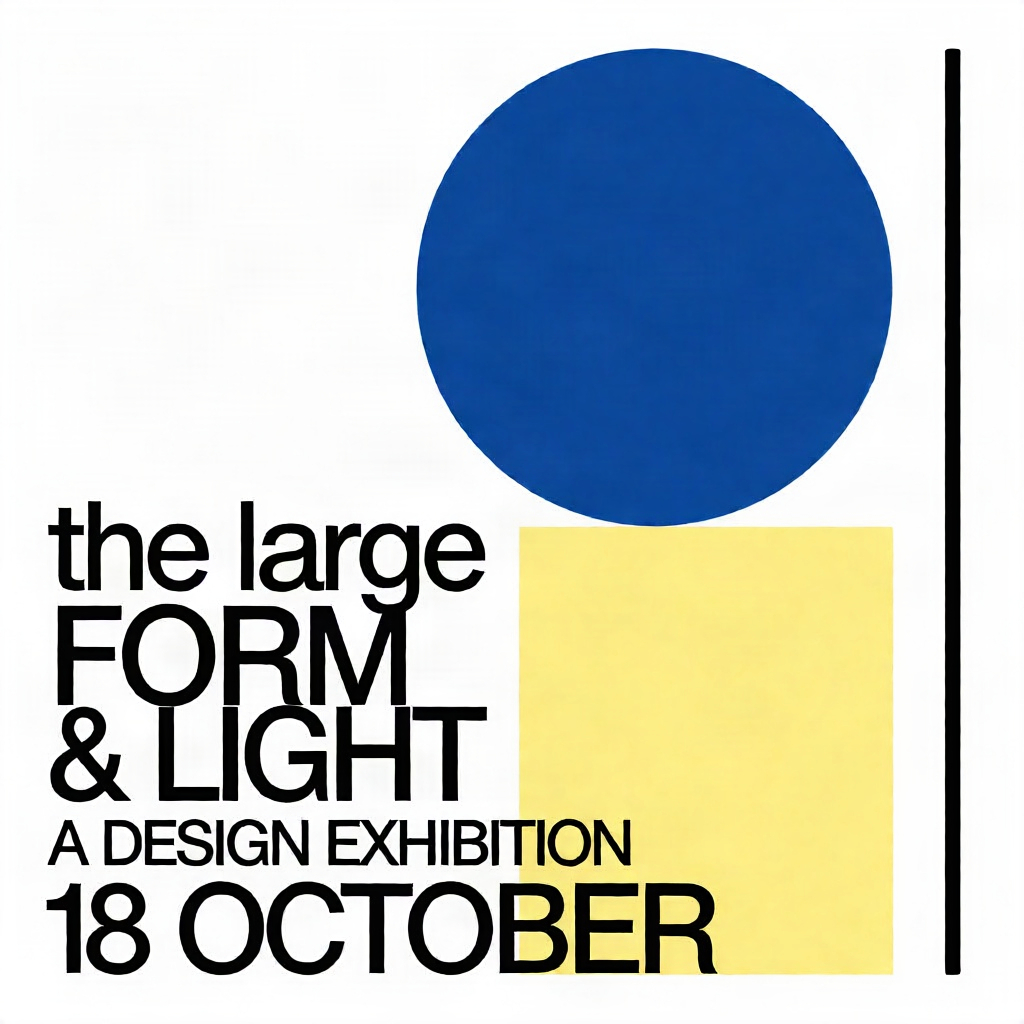
- FLUX Schnell spelled the title correctly and followed the geometric layout, but the subtitle reads “A DESIGN EXIHIBIITN” and the date gained a stray full stop: “18. OCTOBER”.
- Krea 2 Turbo spelled every requested line correctly, but also printed “the large” above the title. The prompt said the large title ‘FORM & LIGHT’, and the model treated part of that description as text to show.
- Recraft V4.1 got all three lines right, with a clear hierarchy and crisp flat colour. Its shapes sit below the type rather than overlapping it, which is a matter of taste.
One correct poster out of three is typical of how unpredictable lettering still is. Our guide to getting correct text in AI images covers how to word a prompt for text, and when to add the words yourself.
What we would take from this
- Explore with a fast model, then compare. FLUX Schnell is the quickest and least expensive of the three in Pickframe, which makes it good for trying compositions and light. Check what it smooths over, especially skin and small text.
- For natural portraits, Krea 2 Turbo and Recraft V4.1 both kept the texture and freckles the prompt asked for.
- For lettering, Recraft V4.1 was the only model to get every word right here. For anything that must be exact, add the text as a layer instead of trusting any model to spell it.
- Test on your own brief. Image models are random: run the same prompt again and you will get a different picture. A comparison of your own prompt tells you more than any ranking.
Run the same comparison yourself
- Open the studio and write your prompt, or start from one of the prompts above.
- Choose up to four models. Pickframe shows the total credit cost before you generate.
- Generate. Each model creates one image. You pay only for images that finish, and failed ones are refunded automatically.
- Keep your favourite and finish it in the editor: crop it, adjust the colour, add text and export it.
Every original, the exact inputs, the generation times and the checksums of these nine images are listed in the public manifest. For a way to structure your own prompts, read how to write an AI image prompt that works across models.